
Organizational Structure
Section Purpose:
This documentation describes how to manage the organizational structure in the system – from creating units, assigning users, to permission inheritance rules.
Basic Information
Section titled “Basic Information”Organizational structures are hierarchical – this means that each unit (e.g., department) can have sub-units, creating a tree structure. A user assigned to a given unit automatically gains access to all its sub-units and their resources. This means there’s no need to separately grant permissions to each of them – it’s enough to assign the user to the appropriate “parent” in the structure.
Each organizational structure has the following properties:
Section titled “Each organizational structure has the following properties:”- Name Required – unique name identifying the unit.
- Acronym Auto-generated – abbreviated name that can be used in the system.
- Users (physicians) Added after creation – list of users assigned to the unit who have access to its resources.
- Cost Center Code Optional – unit code. Can be inherited from the parent unit or assigned individually. If a unit has its own Cost Center code, it automatically becomes a Cost Center and requires additional data (address, phone, logo).
Main Organizational Structure
Section titled “Main Organizational Structure”The main organizational structure is the highest-level unit in the hierarchy that has no parent unit - most likely the hospital. The main structure always requires:
- Cost Center Code – exists as a Cost Center and requires department data (address, phone, logo).
- Pharmacy Configuration – needed for proper label generation.
Sample Structure
Section titled “Sample Structure”| Name | Acronym | Cost Center Code | Parent |
|---|---|---|---|
| Central Hospital | CH | 500 | none |
| Internal Medicine Department | IMD | inherited (500) | CH |
| Clinical IT Section | CIT | inherited (500) | IMD |
| Sub-department 2 | SD2 | 501 | IMD |
View in Application
Section titled “View in Application”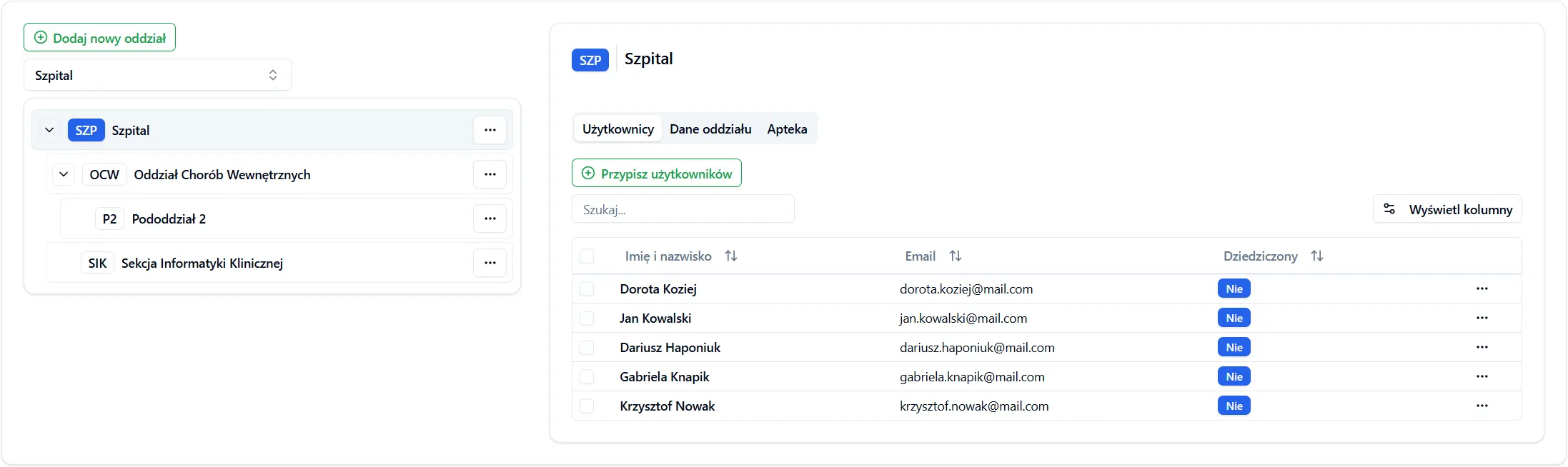
Frequently Asked Questions
Section titled “Frequently Asked Questions”Can I assign a user to multiple units?
Yes, a user can be assigned to multiple units, as long as they are not in a subordinate relationship (i.e., none of them is a sub-unit of another). This way the user gains access to all sub-units of each assigned unit.
What should I do if I don’t see the newly added structure?
Refresh the view or check if you have permissions for the parent unit.