
Prescription History
Section Purpose:
This documentation describes how the prescription history view works in the system, what information is presented, and how to interpret it. This allows users to efficiently browse previous prescription versions and manage them.
Basic Information
Section titled “Basic Information”The prescription history table contains the same data as the regular prescription list
After editing a prescription, its previous version automatically changes to the status Canceled. This means that only the newest prescription version remains active, while previous versions are archived and can no longer be fulfilled.
View in Application
Section titled “View in Application”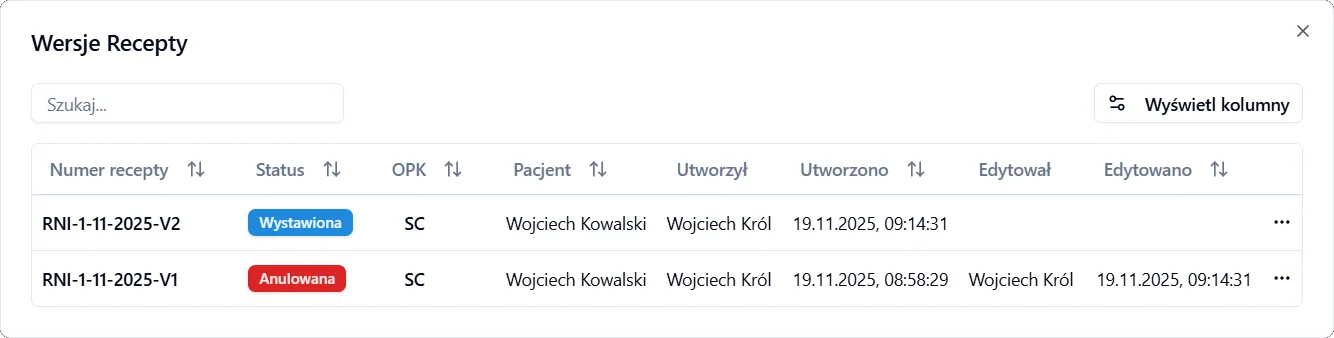
Actions Available for Prescription Version
Section titled “Actions Available for Prescription Version”- Display – displays the PDF of the selected prescription version.
- Download – downloads the PDF of the selected prescription version.
- Clone – enables creating a new prescription based on the selected version, with automatic transfer of all data.