
Group Members
Part of User Groups documentation
Section Purpose:
This documentation shows how to manage users in a group – how to assign employees to a group and how to remove them from it. This ensures all group members automatically receive its permissions.
What Are Group Members?
Section titled “What Are Group Members?”Group members are system users who belong to a given group. When you assign a user to a group, they automatically receive all permissions of that group.
Example: If Anna Nowak is a member of the “Pharmacists” group, then Anna has access to all functions that the “Pharmacists” group possesses.
Managing Group Members
Section titled “Managing Group Members”On this tab you can:
- Browse the list of all users assigned to the group
- Add new users to the group
- Remove users from the group
View in Application
Section titled “View in Application”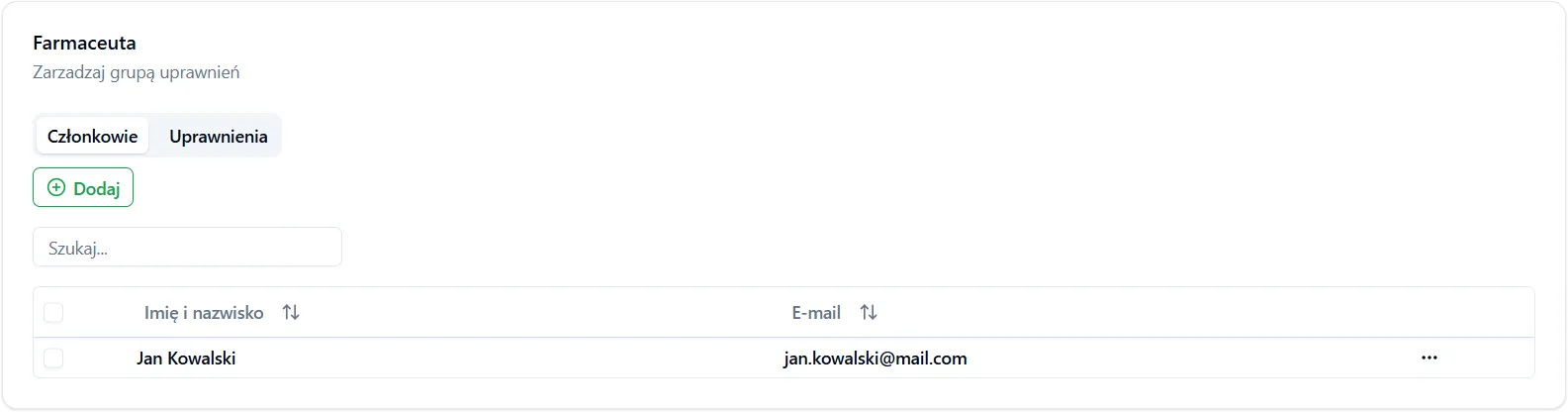
Important Information
Section titled “Important Information”-
A user can belong to multiple groups – if you assign the same user to multiple groups, they will have permissions from all groups.
-
Group permission changes affect all members – if you change group permissions, all its members will automatically receive new permissions (without additional actions).
-
Removing a user from the group removes access to permissions only from that group – if the user belongs to other groups, they retain permissions from them.