
Cost Centers
Review the Organizational Structure documentation as cost centers are related to it.
Section Purpose:
This documentation describes what a Cost Center is, how to configure it, and how its data affects prescriptions and billing in the system.
Basic Information
Section titled “Basic Information”Cost Center is a special type of organizational structure that has its own Cost Center code (does not inherit it from the parent unit). Each structure with its own Cost Center code automatically becomes a cost center.
Each cost center has the following properties:
Section titled “Each cost center has the following properties:”- Cost Center Code Required – unique identification code for the center, used for cost accounting and billing.
- Address Required – complete address of the center (street, postal code, city), displayed on prescriptions.
- Phone Number Required – contact number for the center.
- Logo Required – center graphic displayed on prescriptions.
Significance of Cost Centers in the System
Section titled “Significance of Cost Centers in the System”Cost centers serve the following roles:
- Identification on prescriptions – Cost Center data (name, address, logo, code) are displayed on prescriptions dispensed by users assigned to this center and all its sub-units.
- Financial billing – Cost Center code is used for subsequent billing of costs associated with dispensed prescriptions and used resources.
- Permission hierarchy – all sub-units of a Cost Center inherit its code (unless they have their own code and are also Cost Centers).
Example Hierarchy with Cost Centers
Section titled “Example Hierarchy with Cost Centers”| Name | Cost Center Code | Cost Center Status | Parent |
|---|---|---|---|
| Central Hospital | 500 | Yes | none |
| Internal Medicine Department | inherited (500) | No | CH |
| Clinical IT Section | inherited (500) | No | IMD |
| Sub-department 2 | 501 | Yes | IMD |
In the above example:
- Central Hospital (code 500) is a Cost Center – its data will appear on prescriptions dispensed by IMD and CIT
- Sub-department 2 (code 501) is a separate Cost Center – its data will appear on prescriptions dispensed by users assigned directly to it
Creating a Cost Center
Section titled “Creating a Cost Center”When creating a new organizational structure, an option appears to choose whether the Cost Center code should be inherited from the parent unit, or the structure should have its own Cost Center code.
If you choose the own Cost Center code option, the structure automatically becomes a Cost Center and additional fields to fill in will appear:
- Cost Center code
- Department data (name, address, logo)
View in Application
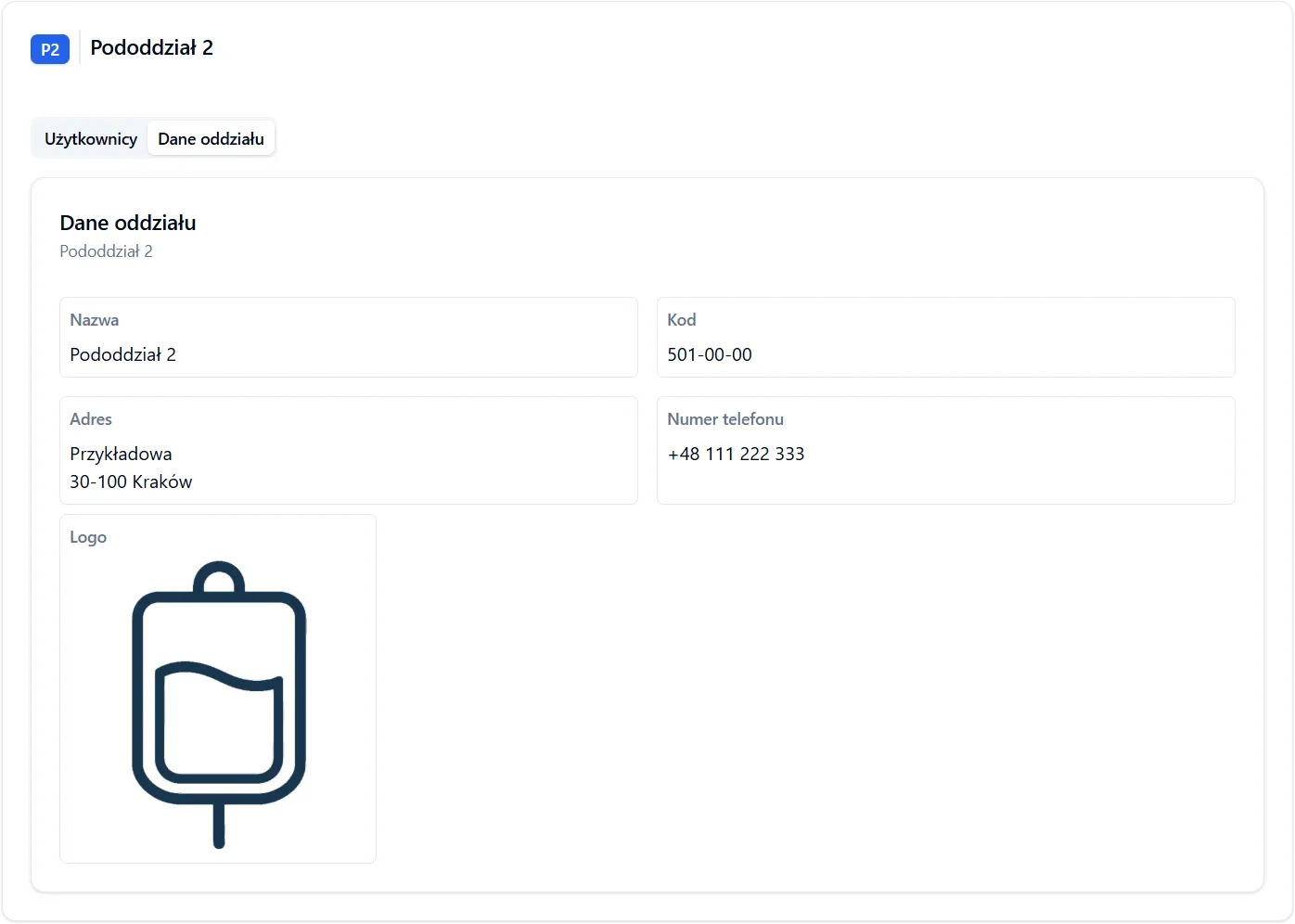
Section titled “View in Application”After creating a structure with its own Cost Center code, a “Department Data” tab will appear in the details view, where the center’s data is displayed:
- Department Name – full name of the center
- Cost Center Code – unique identification code for the center
- Address – complete address of the center (street, postal code, city)
- Phone Number – contact number for the center
- Logo – center graphic
Cost Center Data on Prescriptions
Section titled “Cost Center Data on Prescriptions”All prescriptions dispensed by users assigned to a Cost Center or its sub-units contain:
- Department name
- Department address
- Logo (if added)
- Cost Center code (used for billing)
This ensures each prescription is unambiguously assigned to a specific center, enabling subsequent cost billing between organizational units. The Cost Center code is used for cost accounting, financial report generation, budget control, and billing between departments.
Frequently Asked Questions
Section titled “Frequently Asked Questions”Does every structure have to be a Cost Center?
No. Only structures with their own Cost Center code become cost centers. Other structures inherit the code from the parent unit.
How does Cost Center code inheritance work?
If a structure doesn’t have its own Cost Center code, it inherits the code from the nearest parent unit that has one. All prescriptions dispensed in this structure will be billed to that parent unit’s account.